Jump to content
View in the app

A better way to browse. Learn more.

Valid Strategies

Eine Vollbild-App auf Ihrem Startbildschirm mit Push-Benachrichtigungen, Abzeichen und mehr.

To install this app on iOS and iPadOS
  1. Tap the Share icon in Safari
  2. Scroll the menu and tap Add to Home Screen.
  3. Tap Add in the top-right corner.
To install this app on Android
  1. Tap the 3-dot menu (⋮) in the top-right corner of the browser.
  2. Tap Add to Home screen or Install app.
  3. Confirm by tapping Install.

italiano1991

Mitglied
  • Beigetreten

  • Letzter Besuch

  1. italiano1991 erstellte einem Thema in Feedback
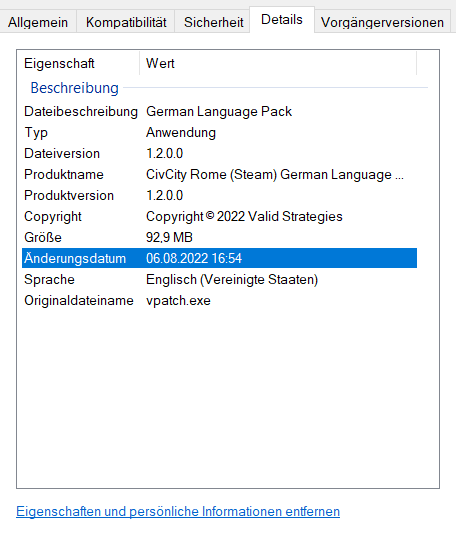
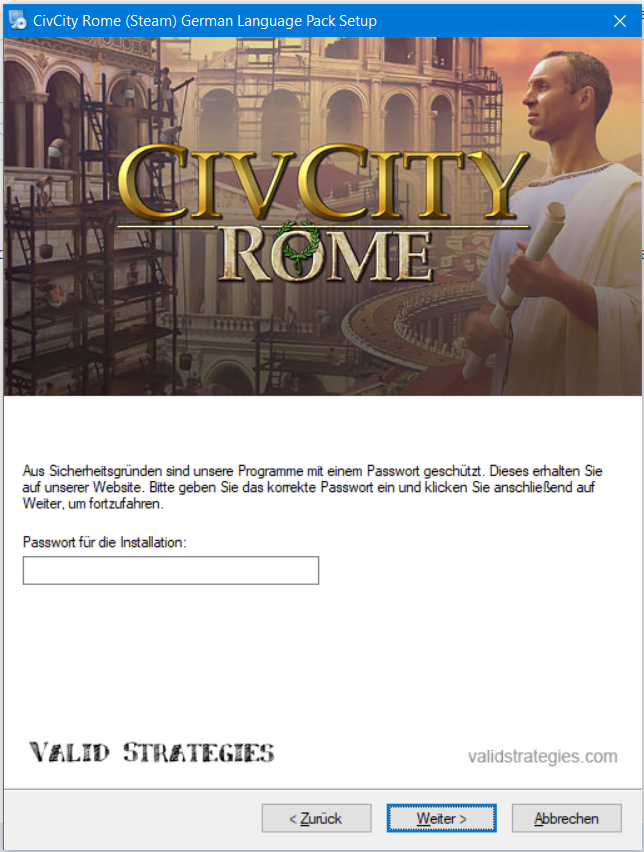
    Hallo zsuammen, ich habe noch eine German Language Pack Datei vom Vorgänger für das Spiel CIVCITY Rome, bei der noch ein Passwort benötigt wird. Ich wollte das gerade installieren für mein Steam Spiel, allerdings weis ich das Passwort dazu nicht mehr. civcity_rome_steam_glp_v1.2 Help? LG


Konto

Navigation

Suchen

Push-Benachrichtigungen im Browser konfigurieren

Chrome (Android)
  1. Tap the lock icon next to the address bar.
  2. Tap Permissions → Notifications.
  3. Adjust your preference.
Chrome (Desktop)
  1. Click the padlock icon in the address bar.
  2. Select Site settings.
  3. Find Notifications and adjust your preference.