palatino
Registriert
-
Beigetreten
-
Letzter Besuch
Alle erstellten Inhalte von palatino
-
mitgenommen. werde ich aber wahrscheinlich nie spielen. 😄
-
dazu gab es schon ein thema...
-
ich hätte jetzt im forum gepostet?
-
wird schwierig. 😄
-
es sind ja ein paar echte schnapper dabei: scorn, fallout new vegas, resident evil 3, vampyr. ich weiß nicht, ob ich widerstehen kann. 😄
-
klingt echt gut, danke für deinen eindruck!
-
und es ist schon wieder sale. 😄 muss. wiederstehen. 😄
-
der frühlingssale ist übrigens heute gestartet!
-
ach das ist jetzt in 3d? little nightmares war ja noch ein sidescroller. trotzdem, sieht sehr stimmungsvoll aus! die welt ist schon toll, da kann man sich richtig drin verlieren. ich mag auch die ganzen dialoge und dass es mittelalter ohne magie, drachen oder sowas ist. aber an diese eine szene habe ich echt schlechte erinnerungen. das fand ich so schade, weil ich hätte es gerne weiter gespielt. flight simulator sieht ja mega gut aus, aber ich glaube, meine hardware würde das nicht packen. und fliegen kann ich auch nicht. 😄
-
nordhold sieht echt gut aus.
-
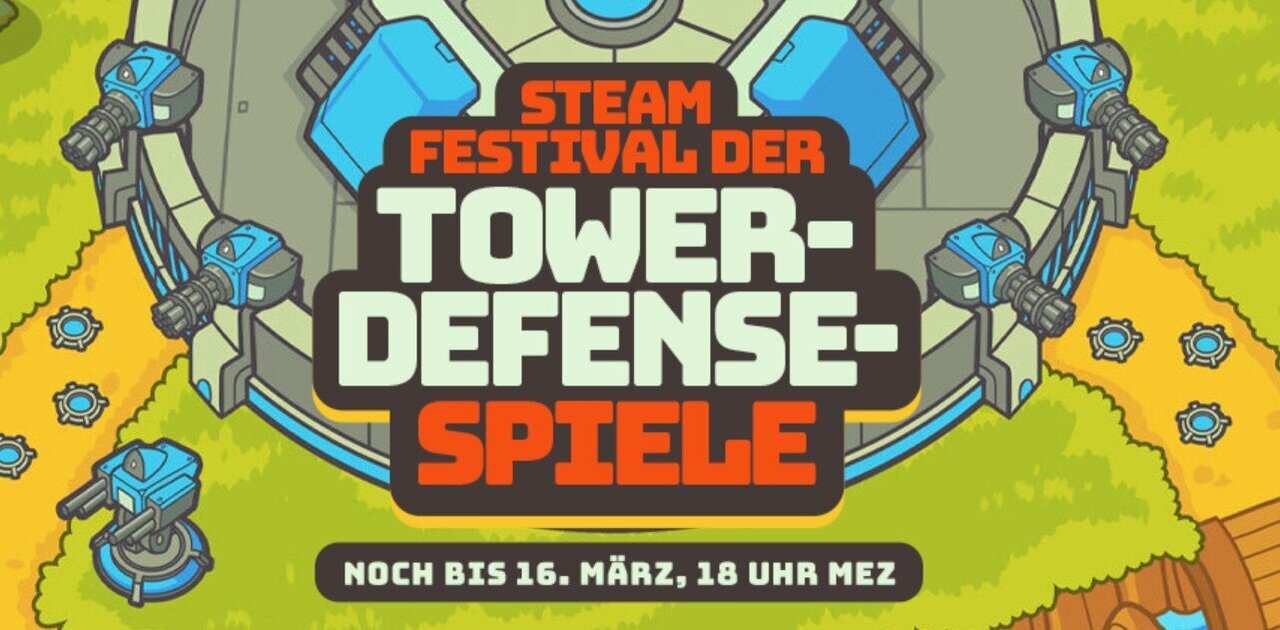
gerade läuft auf steam der tower defense sale. das blöde ist, die spiele sagen mir fast alle nichts. ich kenne nur defense grid, aber das ist ja schon etwas älter. könnt ihr irgendwelche tower defense spiele empfehlen?
-
das habe ich mal angefangen, aber nie beendet. irgendwann wurde es mir zu nervig mit den kämpfen spoiler da habe ich dann die lust verloren. aber vielleicht gefällt es dir ja besser? wie findest du das spiel? little nightmares kenne ich nur den ersten teil, aber den fand ich sehr gut! ist reanimal genauso?
-
das soll gut sein, auf steam wird das gefeiert. 😀
-
würde mich mal interessieren, welche games bei euch aktuell gezockt werden. 😀 vielleicht hat ja jemand einen tipp, was sich lohnt als nächstes anzugehen? ich bin gerade am neuen anno 117 dran, weil das konnte man ja gerade kostenlos ausprobieren für ein paar tage. macht echt laune.
-
ich habs damals auch gespielt und fands klasse. da werden erinnerungen wach, ich hab ewig in diesen arenen gekämpft. davon gab es mehrere und es dauerte, bis man damit durch war. dann die elefanten, die fand ich auch schwer. aber war trotzdem gut, genau wie odyssey danach. wirst du das auch noch spielen?
-
ich kann einfach nicht wiederstehen. 😇 auf steam gibts jetzt diablo 2 resurrected infernal edition und als alter d2 fan musste ich natürlich zuschlagen. es macht auch richtig bock, aber natürlich weiß ich jetzt schon, dass ich niemals 500 stunden ins grinden investieren kann, so wie früher, um all den guten loot zu bekommen.
-
auf gar keinen fall die pause taste! wenn ich das mache, dann höre ich wieder auf mit dem spiel. das hatte ich schon zu oft. 😀 aber die tage steht ja noch mehr an als zocken, habe ich gehört... genau so sieht es aus. 😀
-
gerade ist ja sale auf steam und ich bin schwach geworden und habe mir nochmal 3 spiele geholt. diesmal gehe ich es aber anders an und habe das erste (assassin's creed origins) direkt angefangen zu spielen. hier finde ich das ägypten szenario sehr reizvoll. allerdings ist das spiel sehr umfangreich, es gibt viel zu tun. man muss auch viele nebenquests machen, sonst kommt man nicht auf den level beim charakter, den man für stärkere gegner braucht. hoffentlich halte ich bis zum schluss durch. 😀
-
ich habe jetzt mal das thema gelesen und finde so eine übersicht liste auch gut. vielleicht kann man die ja interaktiv machen? jeder kann ein spiel hinzufügen und dann gibt es eine rückmeldung, ob ein german patch möglich ist oder was fehlt. das würde doch weniger arbeit machen und wäre das gleiche ergebnis?
-
ich sehe gerade es gibt kein forum für allgemeine spielediskussionen? falls doch bitte verschieben. welche tricks habt ihr, um euren pile of shame zu reduzieren? bestimmt hat ja jeder von uns viele spiele, die irgendwie noch nie gespielt worden sind. ist euch das einfach egal oder versucht ihr diese gezielt zu reduzieren? wann ist für euch ein spiel eigentlich durchgespielt?
-
häufig haben die alten cds ja probleme wegen des kopierschutzes. das nervt mich immer so, denn die spiele sind eigentlich noch lauffähig, aber der kopierschutztreiber läd halt nicht mehr. von daher ist gog eine gute alternative. die spiele dort laufen ja wirklich immer. wegen battlefield 6 bin ich ehrlich, das spiele ich auch nur wegen der grafik und weil ich mal lust auf kurze action habe. ich bin weder besonders gut noch ehrgeizig, was dieses ganze xp grinden angeht. aber für ein paar wochen machts mir immer spaß. :)
-
thief kenne ich auch noch. ich glaube ich habe hier sogar noch irgendwo die packung im keller liegen, in deutschland hieß das ja dark project. :) aber gespielt habe ich das eigentlich nie mehr und es läuft wahrscheinlich auch gar nicht auf windows 11. ich spiele aktuell zugegeben was aktuelles, battlefield 6. aber diese shooter fesseln mich nur ein paar wochen, dann kehre ich doch zu den klassikern zurück. :)
-
das finde ich sehr gut!
-
habs am wochenende auch ausprobiert, also pharaoh. läuft alles wunderbar. 👍
-
dann schließe ich mich mal an. :) danke für die tollen packs bisher. wird es damit denn weitergehen?